ElevenLabs Free Tier: Your First Steps Into AI Voice
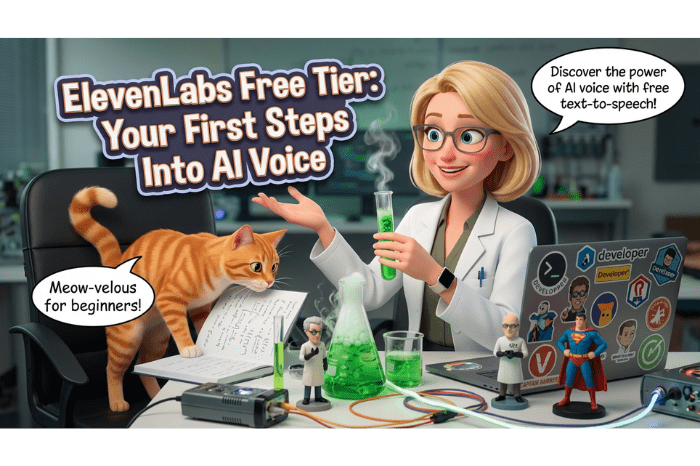
You don't need to spend a dime to find out if this tool belongs in your workflow. Here's how to start.
If you read my ElevenLabs Lab Report, you already know I'm a fan. But a review and a tutorial are two different things — and a lot of people have asked me: "Okay Annie, but how do I actually use it?"
Fair question. Let's get into it.
This post covers the free tier — what it can actually do, where it runs out of runway, and what's waiting for you on the other side of a paid plan. No complexity theater. Just the practical stuff.
First, What Is ElevenLabs Actually For?
ElevenLabs is an AI voice platform. At its core it does one thing really well: it takes text and turns it into speech that sounds remarkably human.
That might sound simple. It is not simple. The gap between ElevenLabs and every text-to-speech tool you've tried before is significant — and you'll notice it within the first thirty seconds.
It's used by content creators, podcasters, YouTubers, small business owners, educators, and voiceover artists. If your work involves a human voice — or you wish it did — ElevenLabs is worth your time to explore.
Setting Up Your Free Account
Head to ElevenLabs and sign up. The free tier requires no credit card — just an email address.
Once you're in, you'll land on the main dashboard. It's clean and fairly intuitive, which I appreciate. A few things to orient yourself:
- Speech Synthesis — this is your main workspace for turning text into audio
- Voice Library — a collection of pre-built voices you can use immediately
- VoiceLab — where voice creation and cloning lives (paid feature — more on that in a moment)
- Projects — for long-form audio work (also paid — also worth knowing about)
On the free tier you get 10,000 characters per month. That sounds like a lot. It goes faster than you think, especially once you start experimenting. Use it intentionally.
Generating Your First Audio
Click into Speech Synthesis. You'll see a text box and a voice selector on the right.
Step 1 — Pick a voice. Click "Voice" and browse the pre-built library. There are dozens of options — different ages, accents, tones, and styles. Take your time here. The voice you choose sets the entire feel of your output. Listen to the previews before committing.
Step 2 — Paste your text. Keep it short for your first test — just enough for you to get a feel for how it sounds while you're learning; no more than a sentence or a paragraph or two. You want to hear how it handles natural speech patterns, pauses, and emphasis before you throw a full script at it.
Step 3 — Adjust the settings. You'll see sliders for:
- Stability — how consistent the voice stays. Higher = more uniform. Lower = more expressive but less predictable.
- Clarity + Similarity — how closely it follows the voice model. I generally keep this high.
- Style Exaggeration — how dramatically it performs. Use sparingly.
Step 4 — Generate and listen. Hit the Generate button and give it a moment. Then listen critically — not just to whether it sounds good, but whether it sounds right for your use case.
Step 5 — Download. If you're happy with it, download the MP3. Done.
That's your first ElevenLabs audio. Not complicated at all.
What the Free Tier Is Good For
The free tier is genuinely useful for:
- Testing voices before committing to a paid plan
- Short-form content — social media clips, short intros, quick explainers
- Proof of concept — figuring out if AI voice fits your workflow before investing
- Client demos — showing a client what's possible without spending money
If your needs are modest and consistent, the free tier might be all you ever need. 10,000 characters is roughly 7-8 minutes of audio per month — enough for regular non-complex short-form use.
Where the Free Tier Runs Out of Runway
Here's where I'll be straight with you, because that's what Annie does.
The free tier has real limitations:
Character limits hit fast. If you're creating content regularly — podcast intros, video narration, client work — 10,000 characters disappears quickly. One solid blog post read aloud is already pushing that limit.
No voice cloning. This is the big one. The ability to clone your own voice — so the AI sounds like you — is a paid feature. And it's genuinely remarkable when you hear it. That's not a tease, that's just the truth about where the real magic lives.
No Projects feature. If you want to produce long-form audio — a full podcast episode, an audiobook chapter, a lengthy course module — the Projects feature handles it properly. The free tier's Speech Synthesis isn't built for that scale.
Commercial usage terms. The free tier has restrictions on commercial use. If you're creating content for business purposes, you'll want to check ElevenLabs' current terms or upgrade to a paid plan that covers commercial licensing.
Ready to Go Deeper?
If you've played with the free tier and you're thinking "okay, I want to do more than this" — that's exactly where I was about six weeks into using ElevenLabs.
Voice cloning changed everything for me. The moment I heard my own voice coming back through the speakers, saying something I never recorded — Astro had a complete meltdown, by the way, and I don't blame him — I knew this was a serious tool for serious creators that seriously saves time in the studio.
The full workflow: cloning your voice, getting it to sound right, and then syncing it to video using Synchronicity Labs? That's a whole other level of capability. And it's what I cover step by step in:
Annie's Lab Notes Vol. 1: The Practical ElevenLabs Workflow Guide → Coming soon — join the waitlist to be notified when it drops.
No fluff. No complexity theater. Just the workflow, taught properly.
The Bottom Line
ElevenLabs' free tier is a legitimate starting point — not a gimped demo designed to frustrate you into upgrading. It gives you enough to genuinely evaluate whether AI voice belongs in your toolkit. And also let's you decide if it's not for you without wasting time or money while you figure out how to use it correctly.
Start there. Experiment. Listen critically. And when you're ready to go further:
Try ElevenLabs → | Annie's Lab Notes Vol. 1 — Waitlist
Have a tool you want Annie to review? Drop us a note!

AI Alchemy with Annie: Lab Director
By day, Annie tests software for a living. By night--and honestly, most of the day too--she's running AI tools through their paces in what she calls 'the Lab,' which is really just her desk with too many browser tabs open and an orange tabby named Astro occasionally walking across the keyboard.
Annie is sharp, funny, and genuinely allergic to hype. If an AI tool doesn't actually do what it says it does, she will tell you. If it blows her mind? She'll tell you that too--and then actually teach you how to use it, step by step, no upsell required.
Astro serves as Chief Quality Assurance Officer. His rating criteria are proprietary, but 'sits next to it' is considered high praise.
Her verdict: Complexity theater is not a feature. It's a red flag.